A home for your client.
Move between Home, Modules, HUD editing, and Profiles with clear Back navigation.
 PRINCECLIENT
Your Minecraft, arranged your way. A Fabric mod with a new home screen, 34 configurable modules, movable HUD panels, and saved profiles.
01 / THE CLIENT
Press Right Shift for Prince Home. Open Modules, arrange your HUD, switch profiles, and use Back to return.
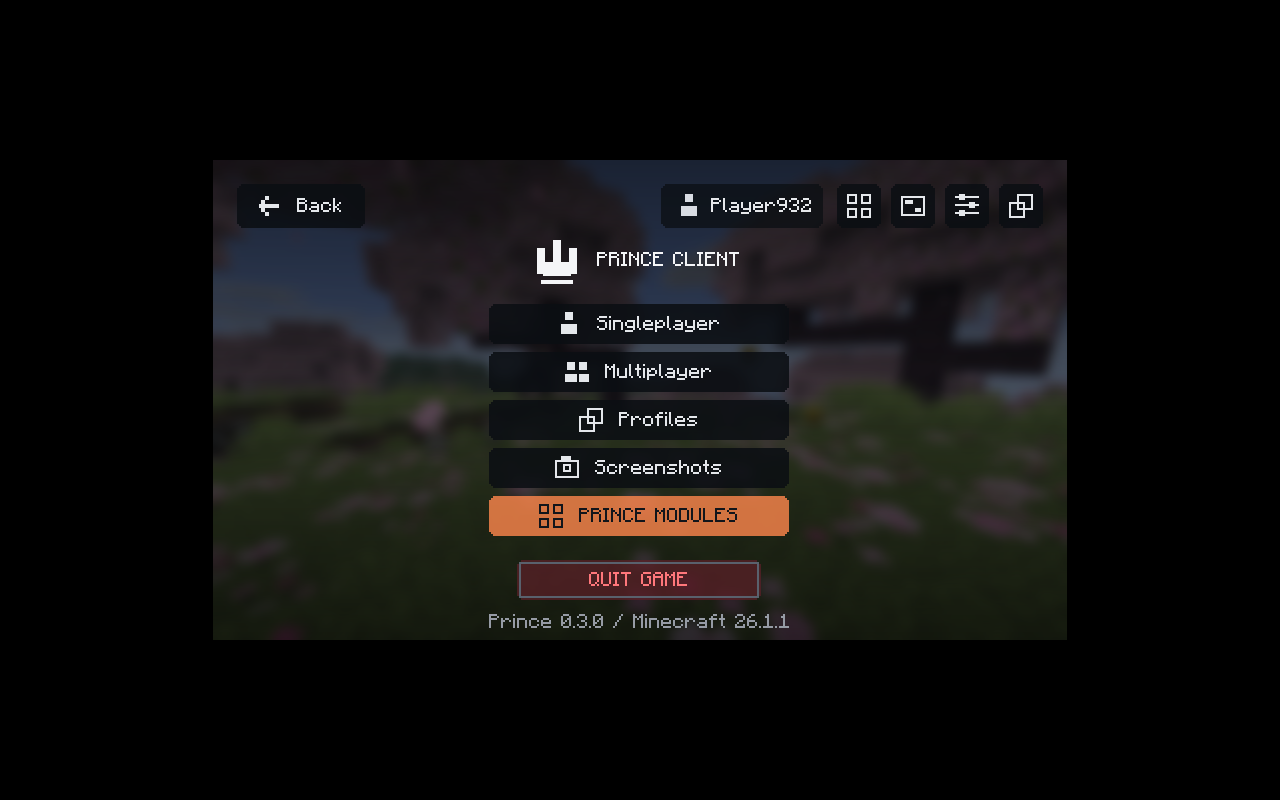
Move between Home, Modules, HUD editing, and Profiles with clear Back navigation.
Enable live panels, drag them into place, then choose their scale, color, and background.
Profiles keep your module settings, HUD positions, and accent colors together between sessions.
02 / GET STARTED
Three steps to your first launch.
Use a Minecraft Java 26.1.1 instance.
Install Java 25 and Fabric Loader 0.19.3 for Minecraft 26.1.1.
Get FabricPlace the Prince Client JAR and Fabric API 0.145.4+26.1.1 in your instance’s mods folder.
Launch your Fabric profile to see Prince Home. In a world, press Right Shift. Open Modules to enable features, and use Back to return.
Right ShiftYOU’RE IN.03 / THE RELEASE
A FEW THINGS TO KNOW
The 34 modules include FPS, coordinates, keystrokes, CPS, armor and potion displays, zoom, fullbright, custom crosshair, local time/weather, and toggle sprint/sneak. Modules start disabled. The source includes a detailed feature checklist and verification limits; full Feather/Lunar parity is not included.
Open Options → Controls → Key Binds → Miscellaneous → Open Prince Client. Right Shift is the default.
Your launcher must support Minecraft Java 26.1.1, Fabric, and Java 25. The build was tested on Linux; Android compatibility and authenticated multiplayer have not been tested.
Install JDK 25, extract the source ZIP, and run ./gradlew clean build (or gradlew.bat clean build on Windows). The source includes full build instructions and verification notes.